WhatsApp · Telegram

Your searching assistant, inside the chats you already use

Drusilla does not live only inside the app: it is the first and only metal detecting assistant in the world you can use entirely from WhatsApp and Telegram. Same account, same detector, same answers. Just write.

Three steps to switch it on

Linking always starts in the app, once. From then on you write wherever you prefer.

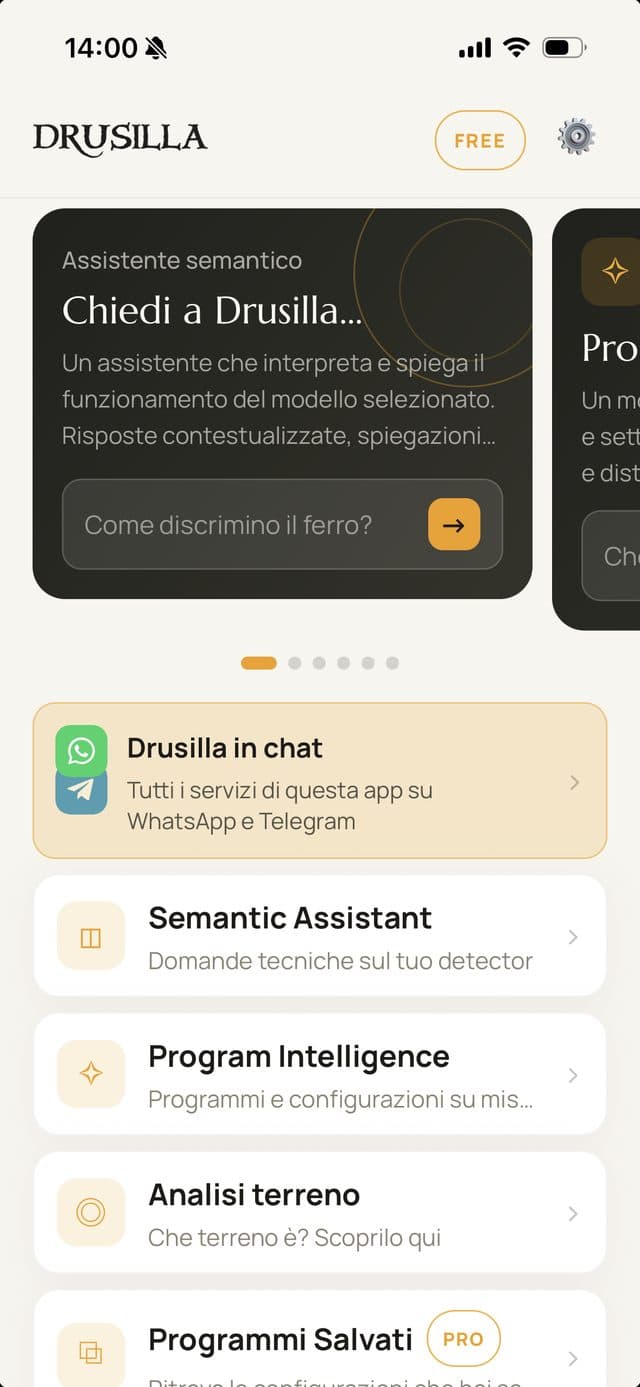
  1. The Drusilla app home screen with the chat channels invitation
    1

    Open Chat channels

    In the app you find it under Profile → Chat channels. If you have not linked anything yet, an invitation also appears on the home screen.

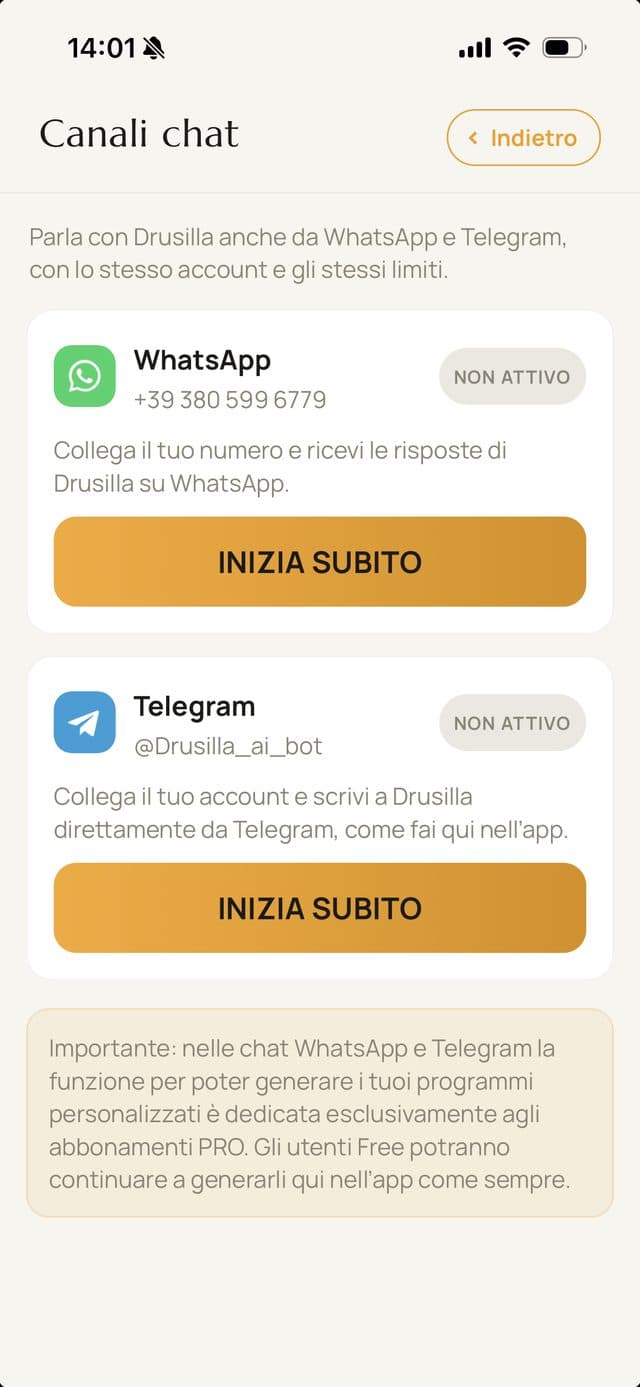
  2. The Chat channels screen with WhatsApp and Telegram to activate
    2

    Pick your channel

    Tap START NOW on WhatsApp or Telegram: the chat opens with the activation message ready. All you do is send it.

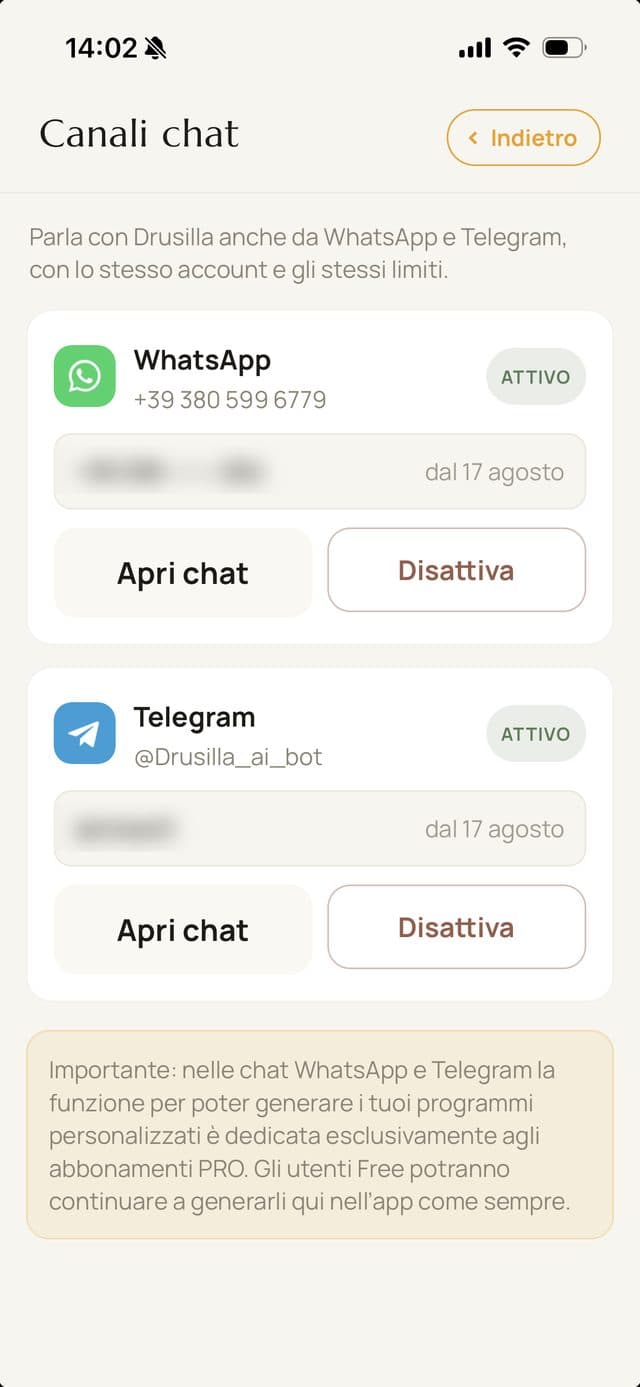
  3. The Chat channels screen with both channels active
    3

    Done

    Drusilla replies and the channel shows as active. You can unlink it whenever you like, from the same screen.

What you can ask

The same things you ask in the app. No commands to learn: write the way you would talk to a more experienced mate.

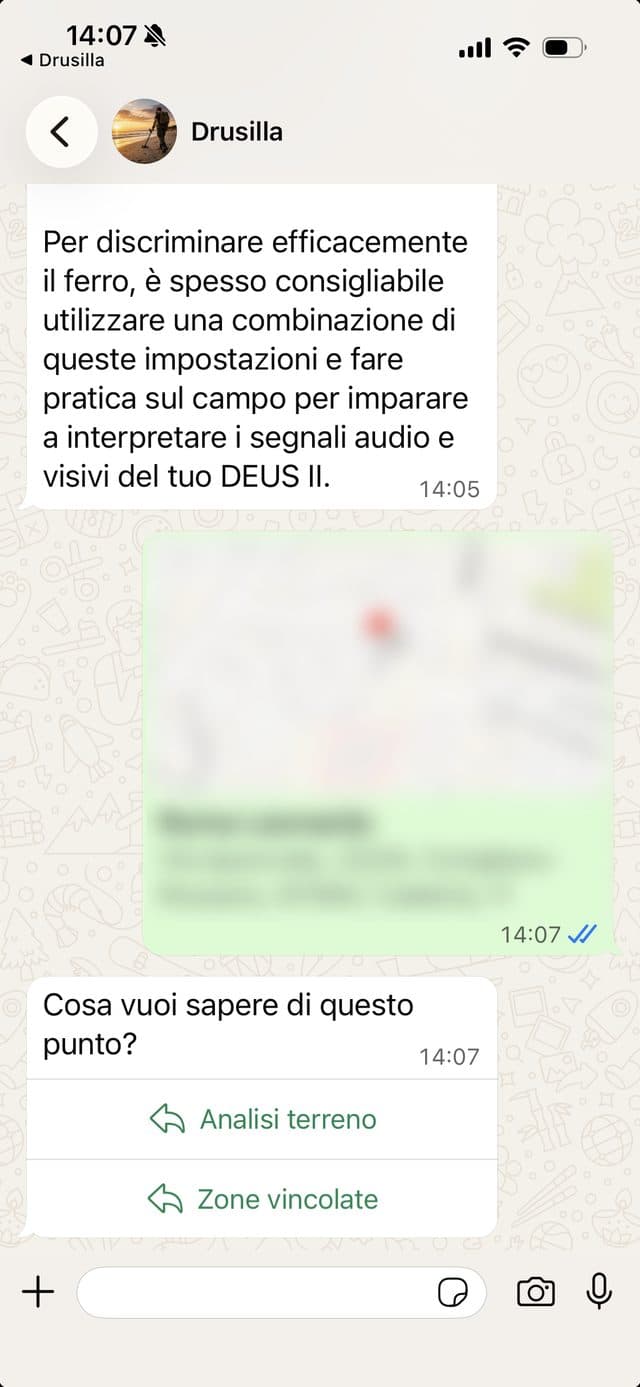
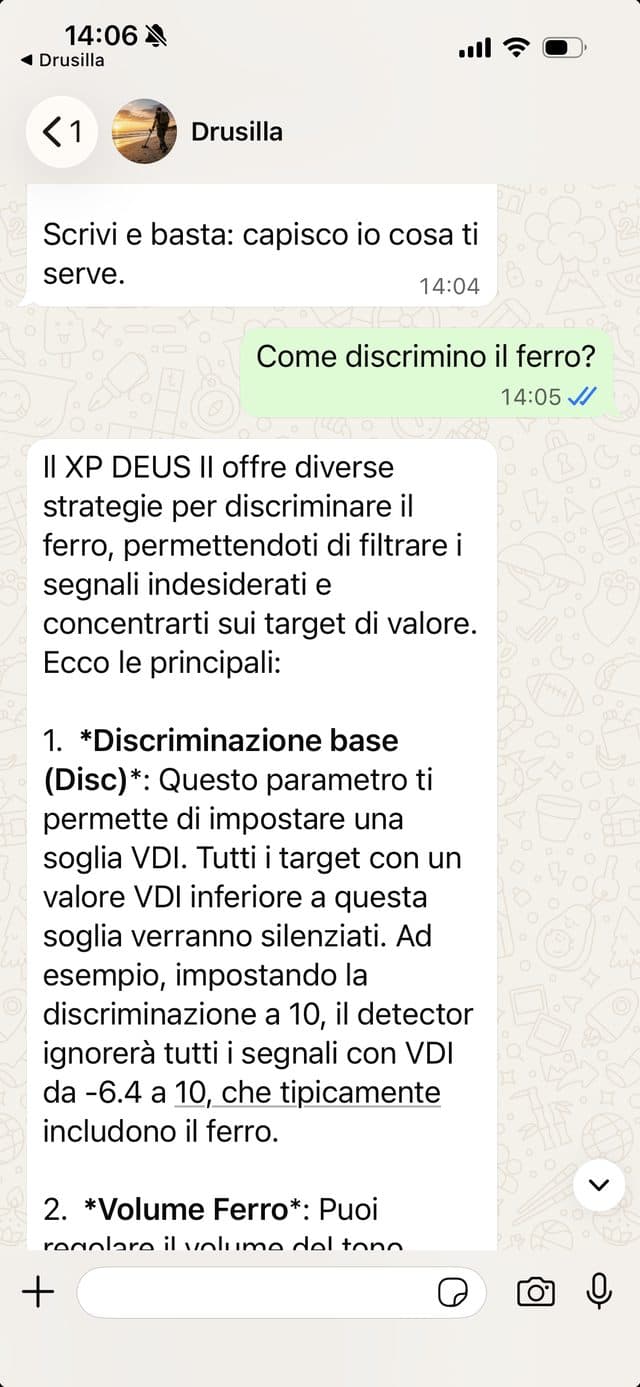
WhatsApp conversation: how to discriminate iron, with the answer about detector settings
Questions about your detector

Answers about your model, not in general

Drusilla knows which detector you own, because it reads it from your profile. Ask how to discriminate iron and it explains the settings of your machine, with the right values.

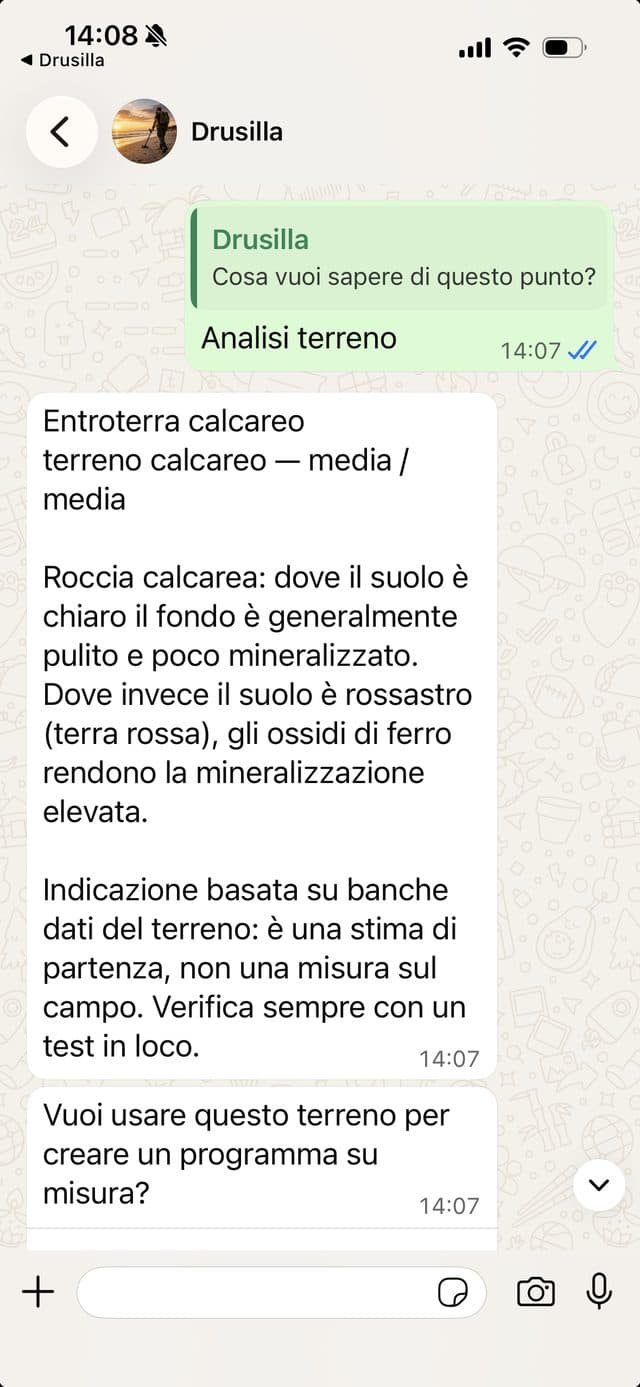
WhatsApp conversation: after a location, the Soil analysis and Restricted zones buttons
Soil analysis

Send a location, get the ground

Share your location from the chat attachments, or paste a Google Maps link. Drusilla asks what you want to know about that spot and reads the soil composition from geological databases.

WhatsApp conversation: the profile of a limestone ground with difficulty and mineralisation
The soil profile

What ground awaits you, before you set off

Soil type, difficulty and mineralisation, with what they mean for your search. It is a starting estimate from geological data, always to be checked with a test on site.

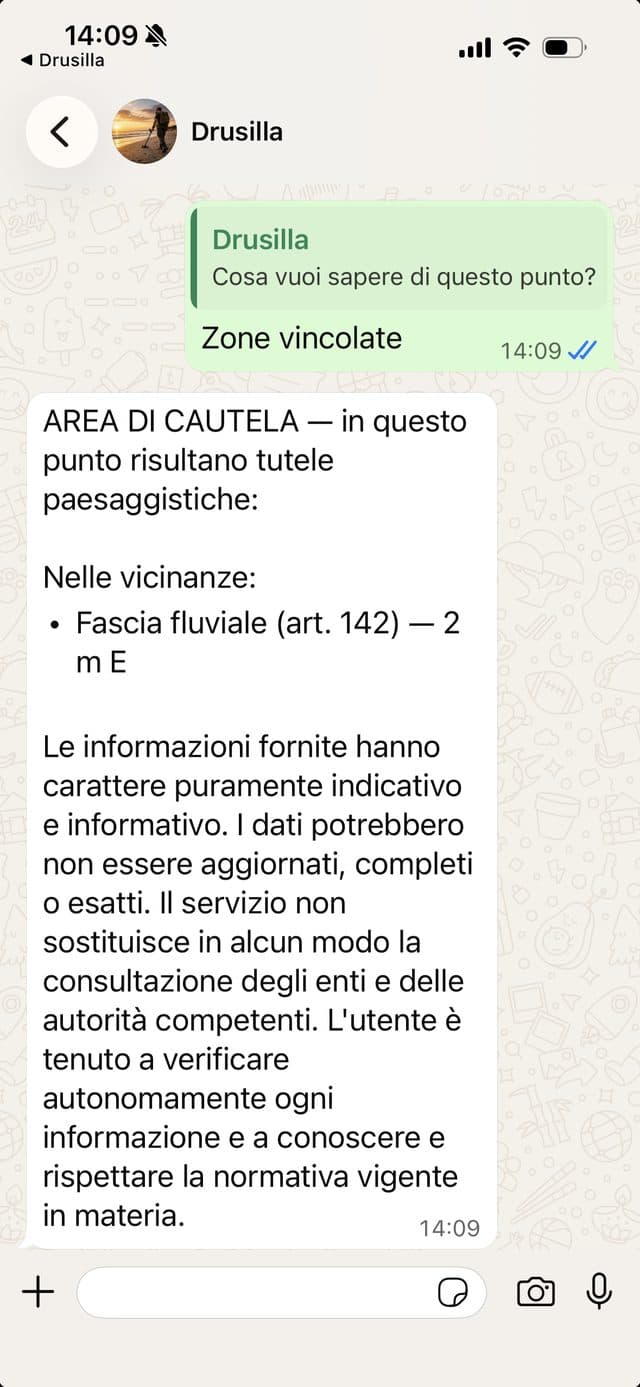
WhatsApp conversation: a caution area with landscape protections nearby
Restricted zones

Know beforehand if that spot is protected

On the same spot you can ask about protections listed in public databases: archaeological areas, parks, landscape restrictions. An informative indication, which does not replace checking with the competent authorities.

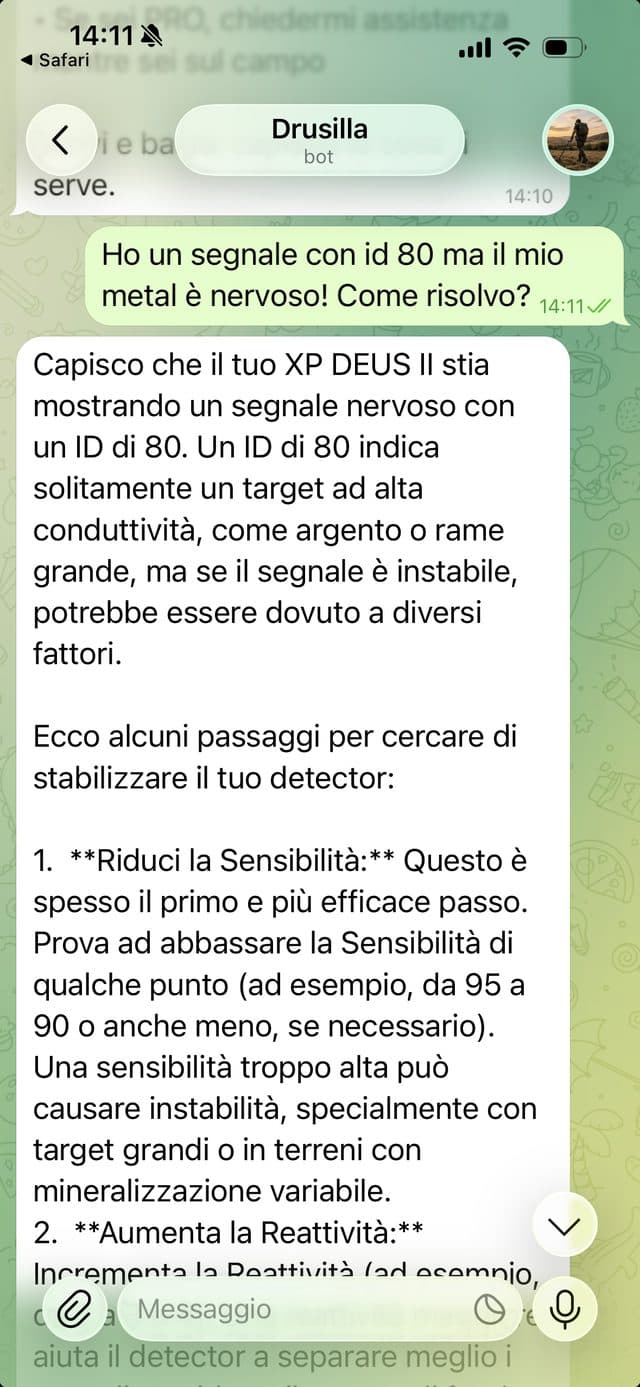
Telegram conversation: an unstable signal with ID 80 and the steps to stabilise the detector
Field assistance · PRO

While you still have the spade in your hand

You are out searching and the detector is playing up. Describe the signal and Drusilla gives you steps to try right away, for your model. It is the feature subscribers use most in the field.

Free and PRO, in the chats

With a free account

  • Questions about your detector
  • Soil analysis from a location
  • Restricted zone checks
  • 15,000 tokens a day

With a PRO subscription

  • Everything in the free account
  • Tailor-made programs generated in the chat
  • Field assistance in real time
  • Up to 50 restricted zone checks a day

In the chats, generating tailor-made programs is reserved for PRO members. In the app it stays free for everyone, as it always has been.

Frequently asked questions

Do I need the app to use Drusilla on WhatsApp?
Yes, but only once: linking your account to your number starts in the app. After that you can write straight in the chat without opening it.
Is it a cut-down version of the assistant?
No. In the chat you get the same services as in the app: detector questions, soil analysis, restricted zones, and for PRO members tailor-made programs and field assistance.
Do I have to learn commands?
No. Write in plain language and Drusilla works out what you need. If you send a location or a Google Maps link, it asks whether you want the soil analysis or the restriction check.
How much does it cost?
Nothing: the chat channels are included in your account, free ones too. A PRO subscription adds tailor-made programs in the chat, field assistance and higher limits.
Can I unlink the channel?
Yes, at any time, from Profile → Chat channels in the app. You can also link it again later, or move it to another number.
Are my conversations safe?
Messages travel through WhatsApp (Meta) or Telegram under those services’ terms, and Drusilla handles them like those in the app. The details are in the privacy policy.

Try it today

Get the app, link the channel you prefer and write your first question. It takes less than two minutes.